Blog

Uncategorized

Newt

I’m combining two prompts again: “Newt” and “ink”. To satisfy the ink aspect, I looked for an ink brush in Adobe Fresco and settled on the “natural inker”. This brush has an interesting texture that I don’t normally associate with ink drawings, but I liked it. I did start with a “pencil” brush sketch, then made each element a different layer using different sizes of the same ink brush (so if I didn’t like an element, it was easily removed or shifted). I did use the circle ruler to make my circles nice.

“Newt in ink” digital drawing done in Adobe Fresco with an Apple Pencil
Uncategorized

Poppy

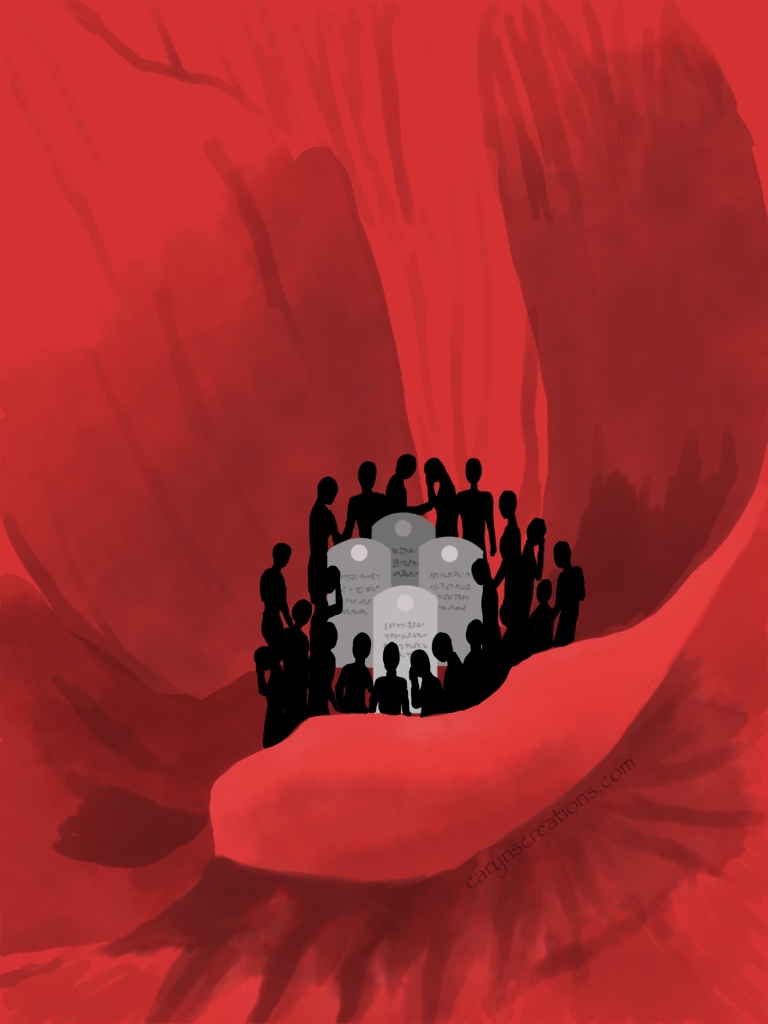
For the Inktober52 prompt “poppy” I chose to take the remembrance aspect of the poppy plant, but have the stamens resemble people and the pistil be grave markers. I started with a medium red background, then used water color brushes in Adobe Fresco to give definition to the petals. The stones I made with the ruler and shapes tools, and the people I drew with a basic hard brush.

Adobe Fresco, Inktober52

Birds

I knew exactly what I wanted to do as soon as I saw this week’s Inktober52 prompt: birds. Flocks of starlings are absolutely fascinating to watch; undulating in the air like parts of a larger organism. I wanted to catch the essence of this amorphous phenomenon. I drew a silhouette of a starling, then used Adobe Fresco’s multi-color eye-dropper tool to pick up the bird image. I applied this single image to a hard round variable brush and adjusted the spacing, scatter, and stylus pressure profile so I had a little variation in bird size and spacing, but not too much (the flock is usually not spread over miles, so I didn’t need extreme perspective tricks). I then used my Apple Pencil to draw strokes of flying birds. The background is a photo of this morning’s sunrise.

“Birds” written in bird silhouettes using Adobe Fresco and Apple Pencil.
Adobe Fresco, Inktober52

Travel

This week’s Inktober52 prompt is “Travel”. In Adobe Fresco I laid out the letters individually, then applied a photo from six different trips to each letter layer to mask. To add the glass bubble effect, I converted the photos to pixel so I could add shadow and highlight within the letter mask. (If you don’t convert, Fresco makes a separate layer that floats above the mask.) The shadow I made from duplicate letters offset below the other layer letter.

Travel graphic created in Adobe Fresco
Adobe Fresco, Inktober52

Xray Soar

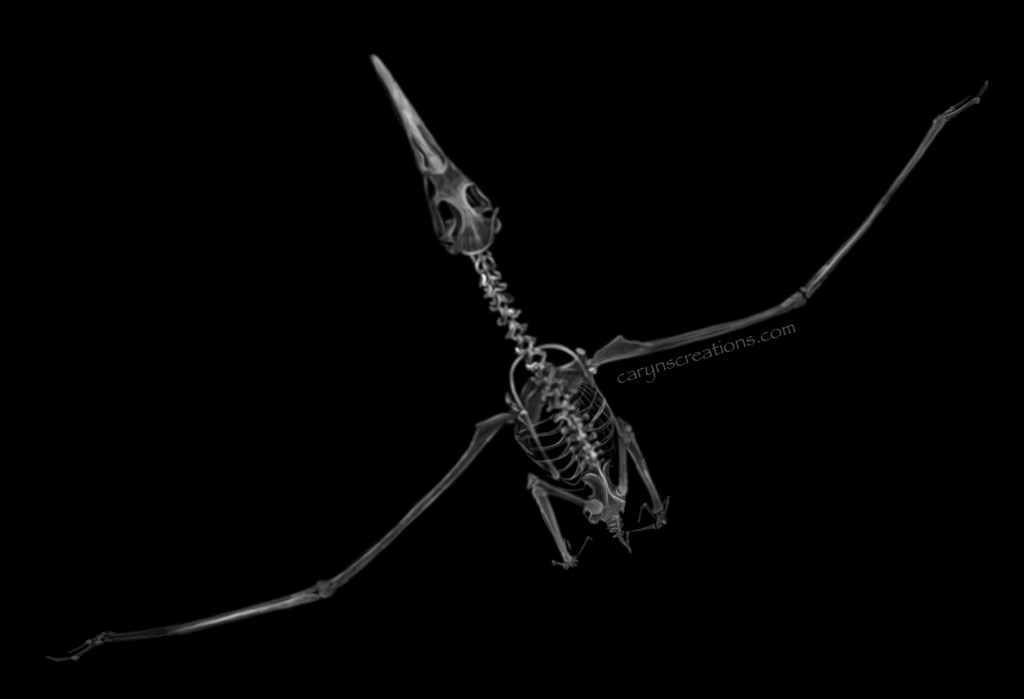
Last week’s prompt was “xray”. So many possibilities. I admit I waited a week to see this week’s prompt to narrow the field: “soar”. Hm. The consensus in the household was that combining the two necessitates a drawing of an xray of a bird. My eldest, when asked to name a bird, said albatross. So here is my rendition of a radiograph of an albatross! I used a picture of an albatross skeleton as a guide, and used pixel brushes with white to sketch the xray. It helps to think of drawing the shadows, but with light, to get an xray effect (or thinking where the bone would be thickest). Dropping in a black background completes the illusion.

Adobe Fresco drawing of an albatross radiograph