Adobe Fresco, Illustrator, Photoshop, Vector Art

Psychedelic show banner

My latest project was developing a digital banner for Lone Star Chorus’ “Peace, Love, and Barbershop” show announcement. I had fun with this one, and used Adobe Fresco (for the water color background and grass), Adobe Illustrator (for the sun and notes), Adobe Photoshop (for the botanical layers), and finally Adobe inDesign to make a manageable file size. I flip through the apps because each one has a specialty and it is easier to do certain elements in different apps. Not only do I keep familiarity with each app with regular usage, I also see which app works better to execute my ideas.
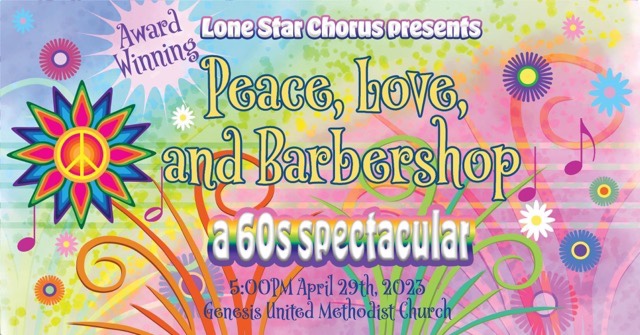
Rainbow botanical musical banner

The banner is sized at 1920×1005 pixels to optimize for use as a Facebook event. To make a printable flyer, I played with the elements to make a lower coordinating panel, leaving a white section in the middle for readability.
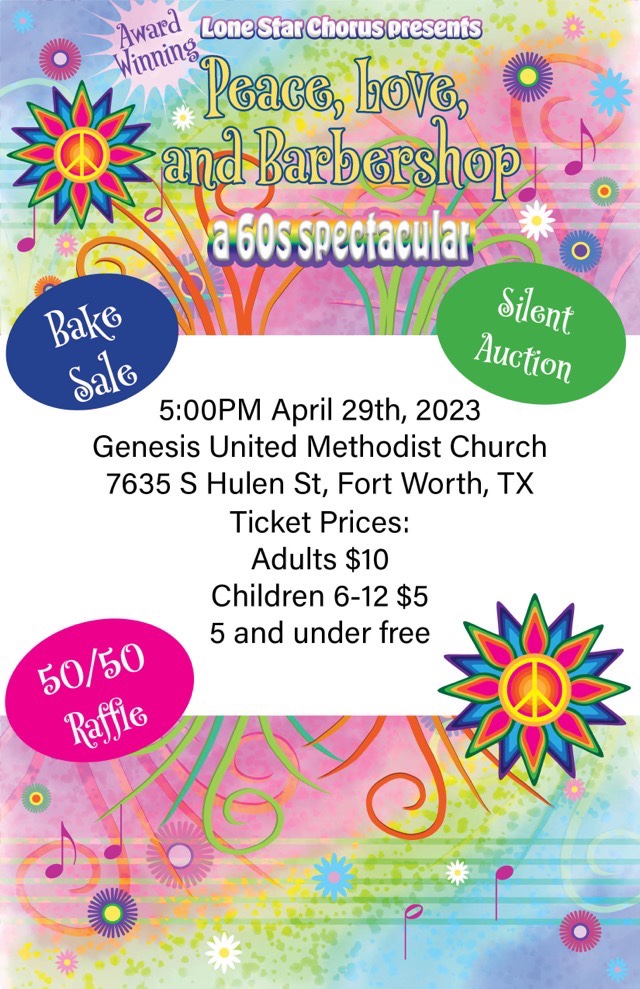
1/2 page coordinating flyer
Photoshop

Spot Healing Brush Tool

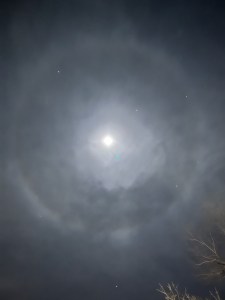
In the Photoshop arsenal is an icon of a Bandaid labeled “Spot Healing Brush Tool” that removes marks and blemishes. They aren’t kidding. It worked wonders on the bright spots on this spectacular moon photograph my neighbor took after our recent storm.

“The moon’s halo or lunar halo is an optical illusion that causes a large bright ring to surround the moon. This striking and often beautiful halo around the moon is caused by the refraction of moonlight from ice crystals in the upper atmosphere.” – https://www.space.com/moon-halo

Photoshop

In Memory

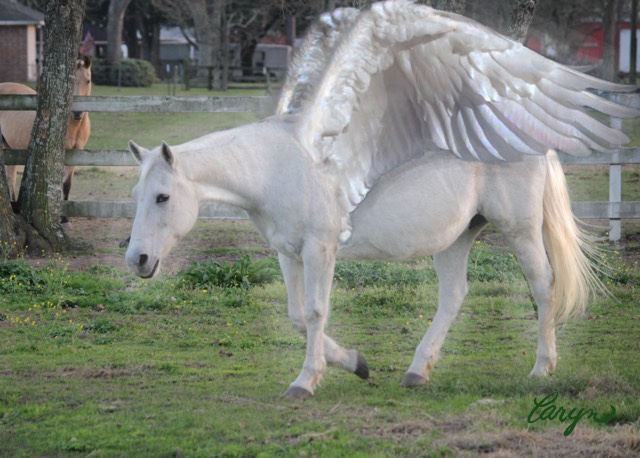
Photoshop work to give a loved horse her wings

The horse that taught my youngest to ride passed away a year ago. It was a heart wrenching loss both for her family and all of us that knew and also loved her. I thought she needed some wings in memory. Done in Photoshop on an iPad with an Apple Pencil.